Runs on your own computer · Mac and Windows
AI on the data you can't put in the cloud.
Helix runs on your own computer. It keeps sensitive details local, waits for your approval at the boundary, and keeps a record of what left and who approved it. No AI team needed.
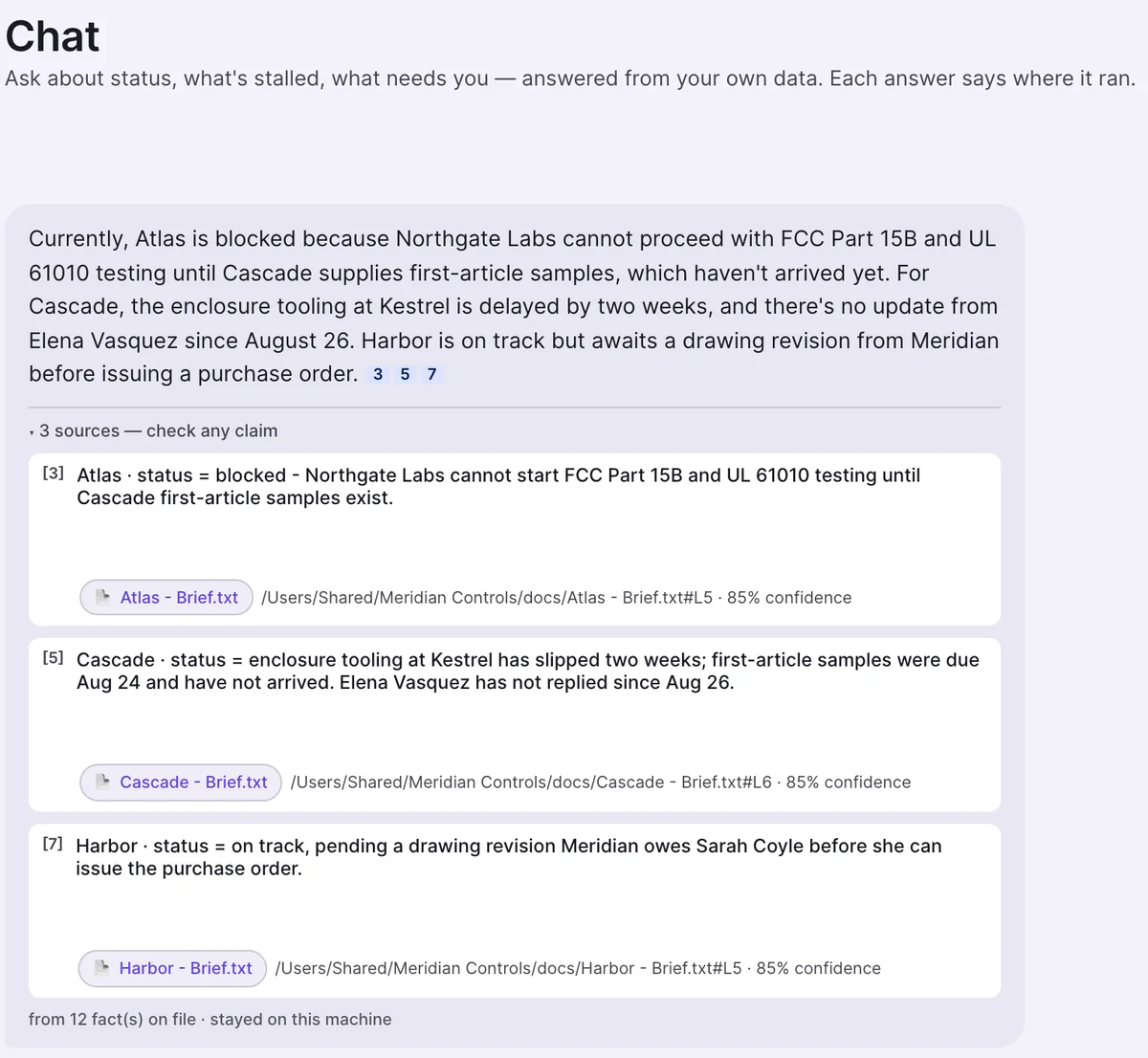
Real app, demo company
Selected for

BITSoM Vertex AI incubator
Top 25 at the Vertex Builders' Pitch Fest 2026
Spark
Stanford Seed Spark
Cohort 13 (South Asia), 2026
Why we built Helix
A CEO we met was putting three years of company data into ChatGPT.
She could take that risk. Her analyst couldn’t.
So in most companies, AI speed follows seniority.
Local AI already exists. Helix makes it usable for a business.
One morning with Helix
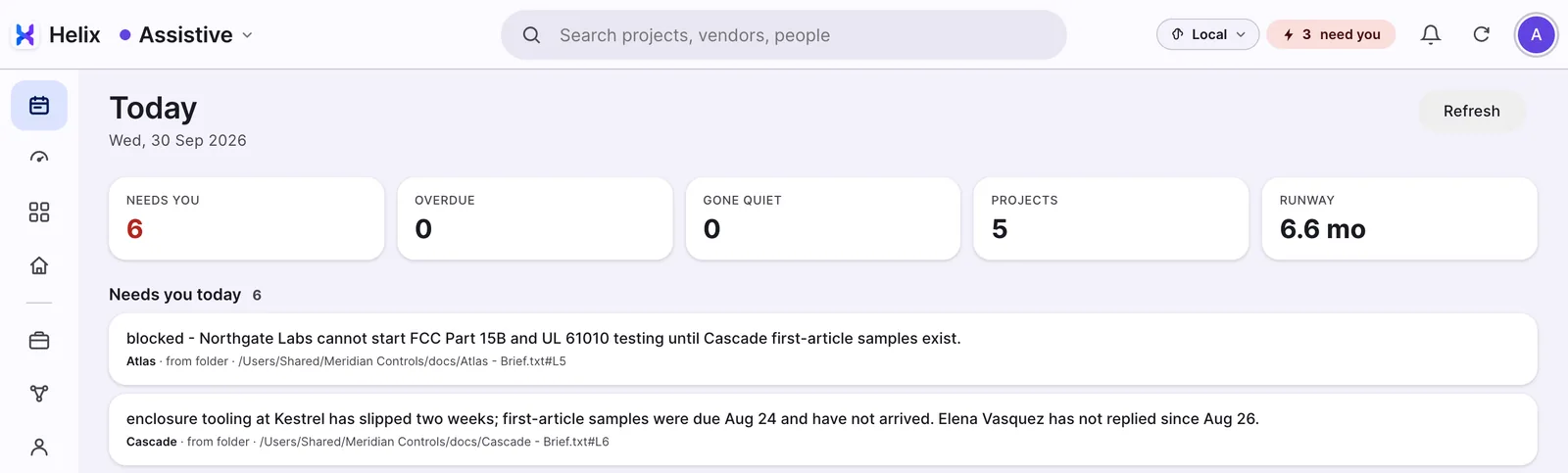
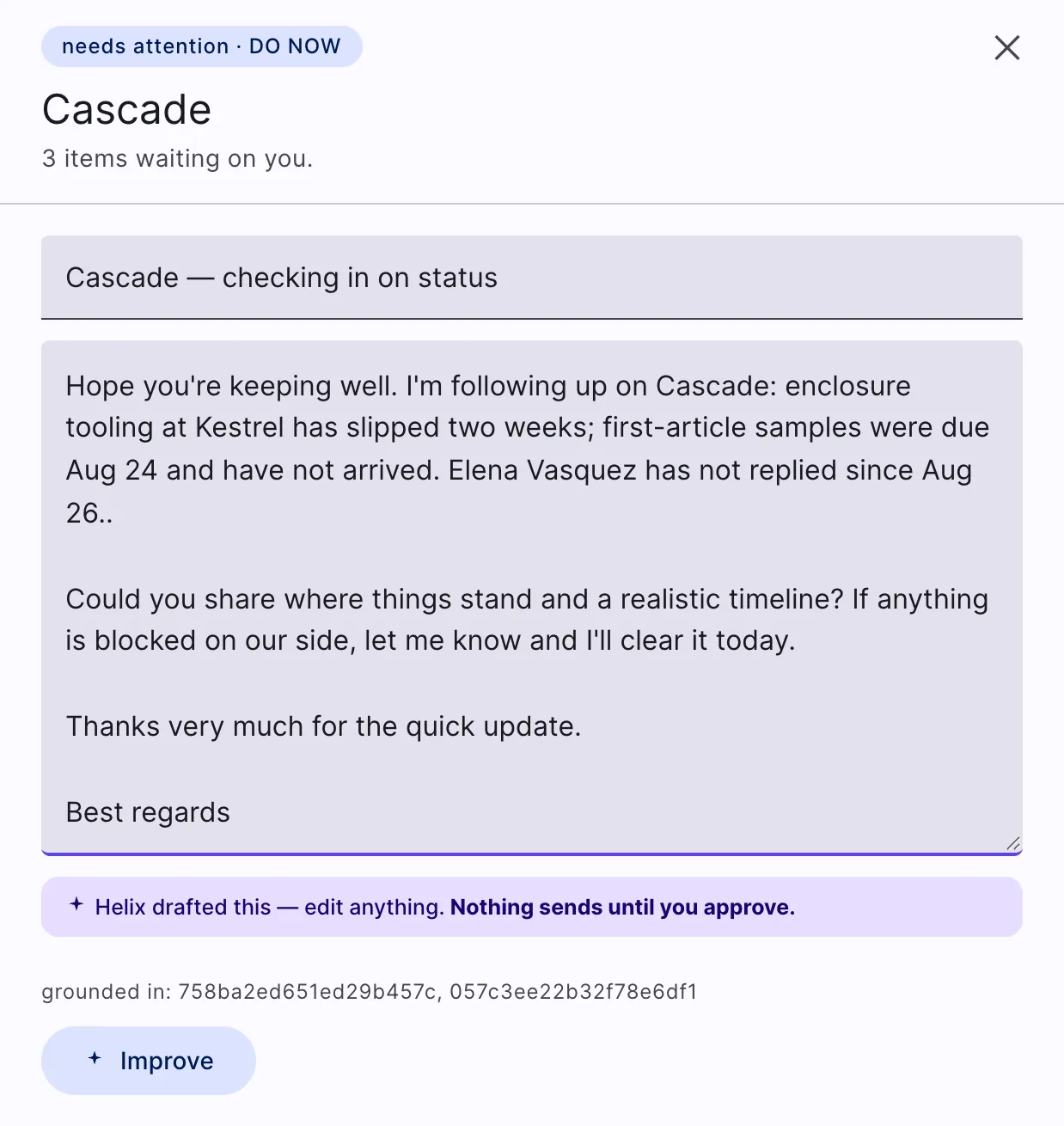
It noticed, answered and drafted.
You pressed send.
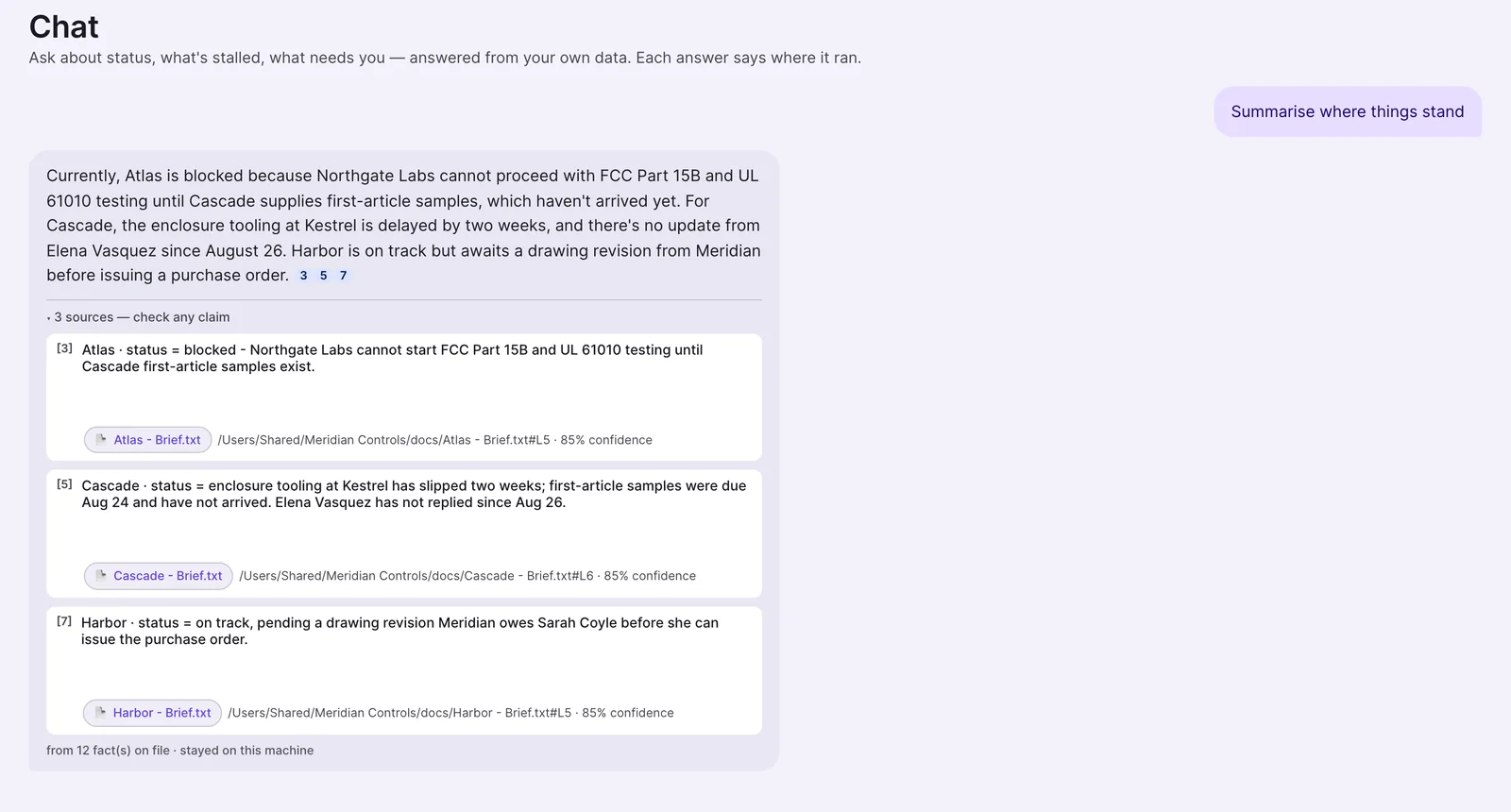
The real app on a demo company. Watch one morning play, or pick a tab.
What it can do today
Give it a source. Get the work back.
The whole map, including what is still coming and what it does not do yet.
- Your mail (Microsoft 365)
Reads the threads you allow. Flags what needs a reply, drafts the follow-up.
Replies ready to send
Now - Folders and files
Reads documents, sheets and PDFs you point it at.
Answers with the file and line
Now - Calendar and Teams chat
Reads what you switch on, so Today knows what is coming.
A fuller picture of your day
Now - Every morning
A brief of what needs you, what is at risk and what has gone quiet, with a source on each line.
Today, ready when you sit down
Now - Order paperwork
Follows an order from enquiry and quotes to award, delivery, invoice and payment. Award and payment stay your decision.
Where every order stands
Mac first - Your whole business
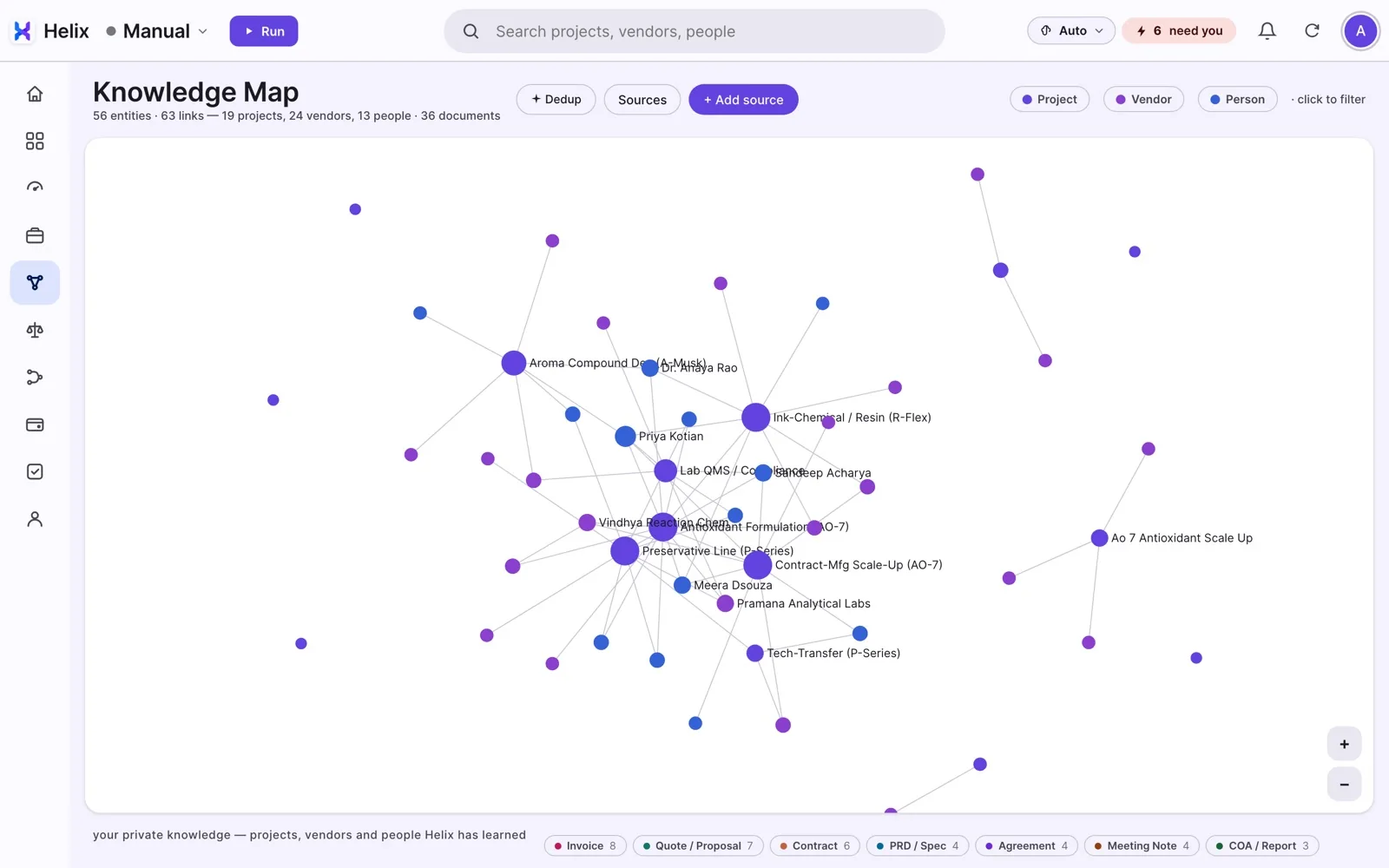
A map of projects, suppliers, customers and people, built from your own files.
See how work connects
Mac first - Everything Helix did
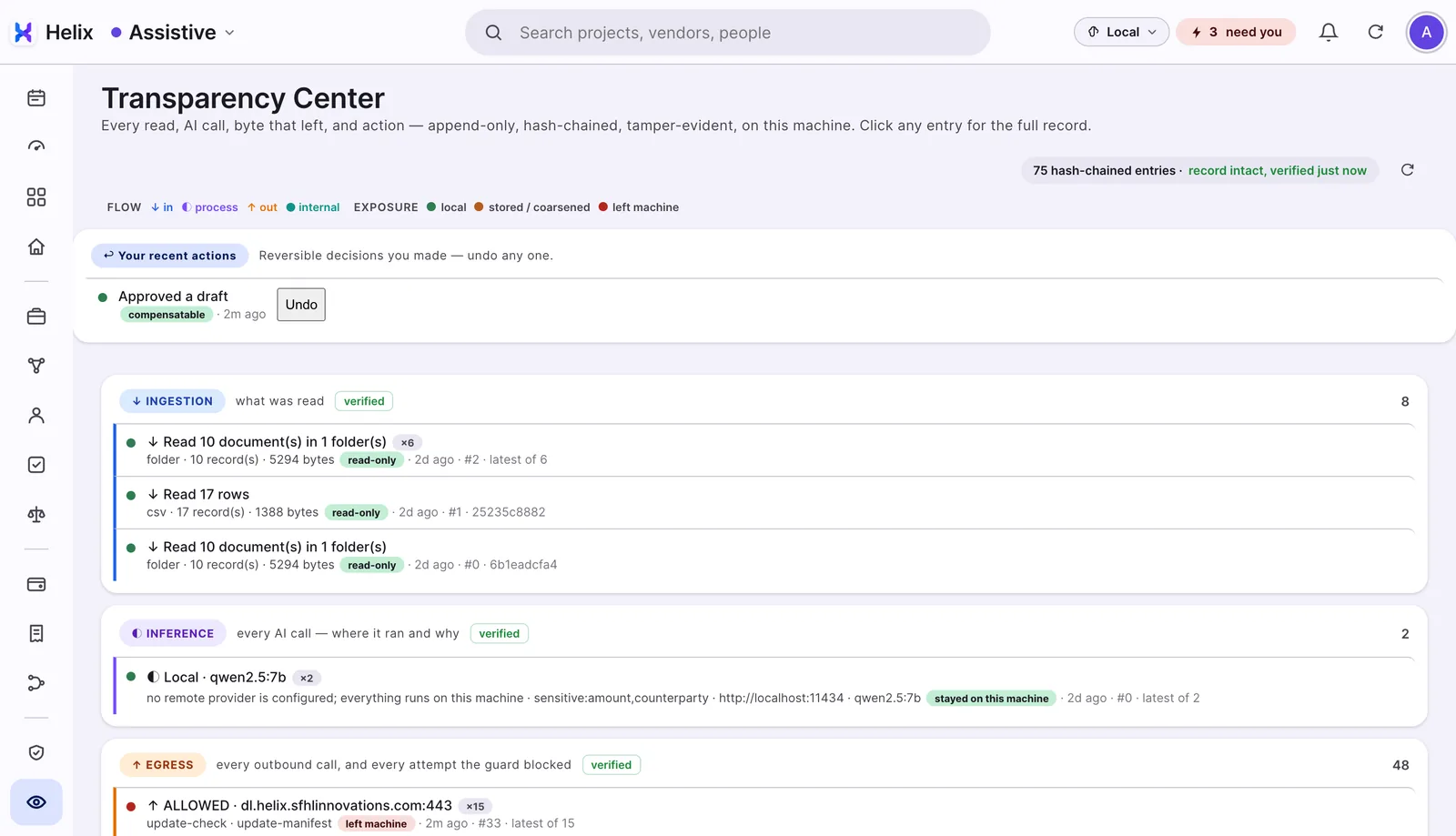
Every read, AI call, outbound call and action, in a record that shows if anyone changed it.
What left, and who approved it
Now - A bigger online model
Add your own key for Claude, ChatGPT, Gemini or Grok. Sensitive details still stay local.
More power, same rules
Now - Google Workspace
Drive, Gmail, Calendar and Chat are built and in testing.
Arrives as an app update
Coming - Work you repeat
Helix will notice it and propose the workflow, with your gate on each step.
Your routine, run for you
Coming - Meeting notes and recordings
Turning a recording into tasks is not built.
Not yet - Who owes whom
Money questions are not reliable yet. Use the documents it cites instead.
Not yet - Shared with a team
Each person runs their own copy today.
Not yet
Helix 1.7.2 for Mac, 1.6.17 for Windows. Mac gets each release first.
How it works
The AI comes to your computer.
You keep the keys.
Helix installs a local AI on your computer and works there. You decide what it reads. Anything it drafts passes you before it leaves. Out of the box, only an update check and a licence check go out on their own.
Mail, files, calendar, chat: you switch on what Helix may read, and switch it off any time.
Helix drafts and prepares. Nothing it drafts goes out without your OK.
It picks a model that fits your computer. 8 GB runs the small one; more memory runs a bigger one.
Helix reads and prepares. You do every send.
It drafts and proposes. You approve each one with a click.
It runs on its own inside limits you set, and still stops at the gates you keep.
You pick the level in one menu, and change it any time. How Helix handles your data →
You pick how far it may go in one menu, and change it any time.
Want a bigger model? Add your own key for an online AI. Amounts, account numbers, counterparties and project names still stay on the local model.
It does the work. You press send.
Autonomous inside.
Approval at the boundary.
You don't prompt Helix. It runs on its own and stops where a person should decide.
Reads what you allowed. Flags what is stalled or at risk. Drafts the reply. Waits at your gate. Writes it all down. Then does it again, through the day and after hours.
The question every AI project has to answer
What left the machine,
and who approved it?
Helix answers it on every item, from day one, without a governance team. That is what lets you use it on work that could not go to a cloud AI.
Every claim names its source
Each line Helix shows you points to the file and line it came from. Click it, check it.
Approval at the boundary
Helix drafts and prepares. Nothing it drafts leaves your computer until you say so.
A record you can verify
Every read, AI call, outbound call and action, in a record that shows if anyone changed it. Open the Transparency view and check it yourself.
The full list of controls, and where to see each one in the app: How Helix handles your data →
Who it's for
One condition, not a size.
Your data can't go to a cloud AI, and you have no AI team to work around it. Regulated work and owner-run firms come first.
Owner-run businesses
Companies of ₹10-500 crore, where the owner decides the data risk.
Start with your inbox: what needs a reply
Law and CA practices
Client files and mail that should not be uploaded anywhere.
Start with finding anything in one client folder
Clinics
Letters, reports and mail that must stay in-house.
Start with the report you keep searching for
Manufacturers
Quotes, orders and supplier mail across many projects.
Start with the reminder: who went quiet
Consultants
One person, many clients, a lot to keep track of.
Start with where every client project stands
Each person runs their own copy today. If you already have an AI team, you may not need us.
Price
Free for 30 days.
Then the founding price.
Start before 31 December 2026 and keep the founding price for your first 12 months. Nothing is charged automatically: when your trial ends, you decide.
What it will and won't costLocal AI included. Your own online key, no markup. Locked for 12 months.
For everyone who starts after the founding window.
Why you can trust the design
Our interests match yours.
Many AI products earn more the more of your data they process. Helix sells no AI usage: it runs a local model for free, or your own key with no markup. We do well when you get more done with less.
It keeps getting better
The next AI, without the next project.
AI changes every week. You shouldn't have to. Helix takes in what is new, puts the same safeguards around it, and hands it to you ready to use.
Your repeated work becomes a workflow
Today Helix drafts follow-ups and tracks orders from their paperwork, with your gate on every step that matters. Next, it will notice the work you repeat and propose the workflow itself, so the work you hand an intern today runs as an agent.
New AI, inside Helix within seven days
When a new model or tool is released, we put it behind the same gates and ship it to you within seven days. You get what is new without taking on the technical side yourself.
Try it on one folder.
A short setup from download to your first answer. Free for 30 days, no card.
- 01
Download and open
Mac (1.7.2) or Windows (1.6.17). The app is not signed yet, so the first open asks once on either.
- 02
Pick one folder
Start with one live project folder. Every source is off until you switch it on; Helix sets up its local AI meanwhile.
- 03
Ask one question
"Summarise where things stand." Click a source to check it. If Today is still empty after ten minutes, give it a second folder.
Selected for the BITSoM Vertex AI incubator (Top 25, Builders' Pitch Fest 2026) · Stanford Seed Spark, Cohort 13 (South Asia)